Klaviyo announced a Figma plug-in at Config 2026. It pushes assets and email sections straight from a Figma file into your Klaviyo image library as image blocks, with no downloading and no manual re-uploading. It's free on the Figma Community and open to any Klaviyo and Figma user. (Klaviyo's announcement, August 6, 2026.)
It's genuinely nice. It also isn't going to fix most brands' emails, and I want to explain why before every founder reading a launch post decides their design problem is now solved.
What the plug-in actually does
Straight from Klaviyo's help doc, so nobody has to guess:
- You install it from the Figma Community, connect a Klaviyo account, select a frame or layer, and export it into your Klaviyo image library, ready to use in campaigns, flows, and templates.
- Select two or more layers and it switches to batch export. You can set a shared size and format, or keep each layer's own settings, and add a prefix or suffix to every file name at once.
- Advanced settings cover color profile (document, sRGB, or Display P3), ignoring overlapping layers, and whether to include the bounding box.
- Output is PNG or JPG at 1x, 2x, or a fixed width.
- One Figma user can connect multiple Klaviyo accounts and switch between them in the sidebar without re-authenticating. For an agency moving between a lot of client accounts in a week, that part is the real quality-of-life win.
- A History tab shows past exports grouped by upload, and for security the plug-in doesn't keep your session between uses, so you'll reconnect now and then.
Klaviyo also said Composer can read published Figma components and library styles through Figma's MCP server, so AI drafts are grounded in your actual brand instead of generic training data. That's the more interesting half long term, and it depends even harder on the thing I'm about to complain about.
The part nobody says out loud
The plug-in removes the export step. In our experience the export step was never what made a brand's emails inconsistent. What makes them inconsistent is that there's no system behind them.
Go open the Figma file for most DTC brands' email program. What you usually find is a long canvas of finished emails sitting next to each other, built one at a time, each one borrowing loosely from the last. The hero is 620 wide in one and 600 in another. Body copy is 15px in June and 16px in July because somebody nudged it. There are four button styles, two of which nobody remembers approving. Nothing is a component. Nothing is named in a way another person could follow.
That file will work perfectly with the plug-in. You'll export faster than ever. You'll just be shipping inconsistency faster than ever.
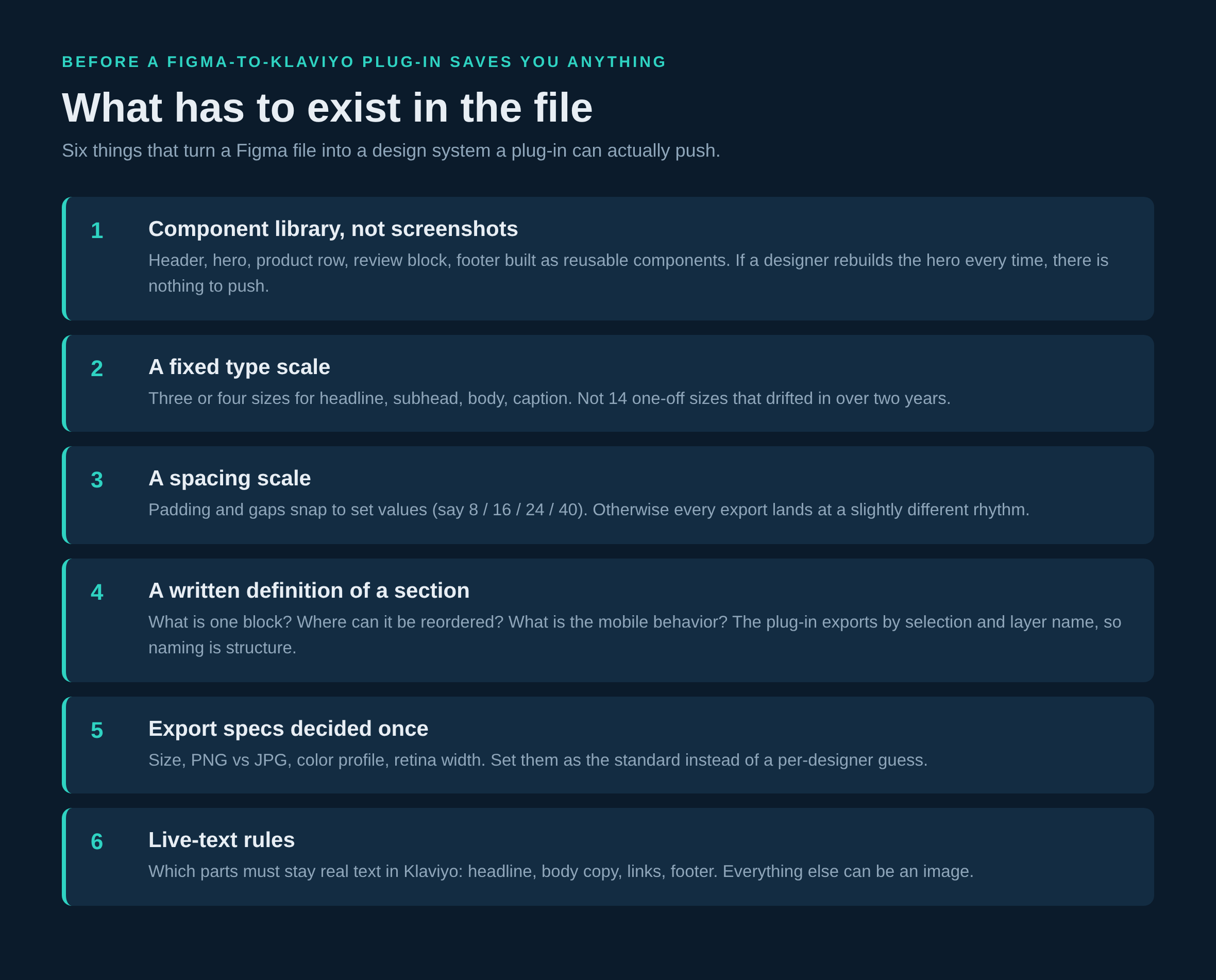
What has to be in the file first
A plug-in pays off when there's a system on the other end of it. Concretely, that means a few things.
Reusable modules, not finished emails. Header, hero, single product block, three-up product row, review or UGC block, education block, footer. Built as components, so when the footer changes it changes everywhere. If your designer rebuilds the hero from scratch each week, there is nothing to push, only artwork to move.
A type scale you actually hold to. Three or four sizes with a rule for each one. Headline, subhead, body, caption. That's it. Fourteen sizes that drifted in over two years isn't a scale, it's a history of who was in a hurry.
A spacing scale. Padding and gaps snap to set values. This is the single most visible difference between emails that look designed and emails that look assembled, and almost nobody writes it down.
A written definition of a section. What counts as one block, where it's allowed to be reordered, what it does on mobile. This matters more with the plug-in than without it, because export happens by selection and by layer name. Naming becomes structure. Sloppy names become sloppy structure in your image library a week later.
Export specs decided once. Retina width, PNG vs JPG, color profile. The plug-in exposes all of it. Pick your standard so it isn't a per-designer guess every send.
The trap: it exports images
Here's the thing to be careful about. The plug-in pushes designs in as images. That's exactly what you want for a stylized hero, a lifestyle shot, a typographic banner. It is not what you want for an entire email.
When exporting is instant, the tempting move is to design the whole email as one gorgeous frame, push it, and drop it in as a single image block. We see this build a few times a year and it costs money every time. An image-only email is blank when images don't load. It has no live text for someone reading in dark mode with a screen reader. Every link is a hotspot or the whole picture. A one-word copy change means going back to design. And personalization can't render inside a picture, so first name, product name, price and stock status are all off the table in the part of the email doing the selling.
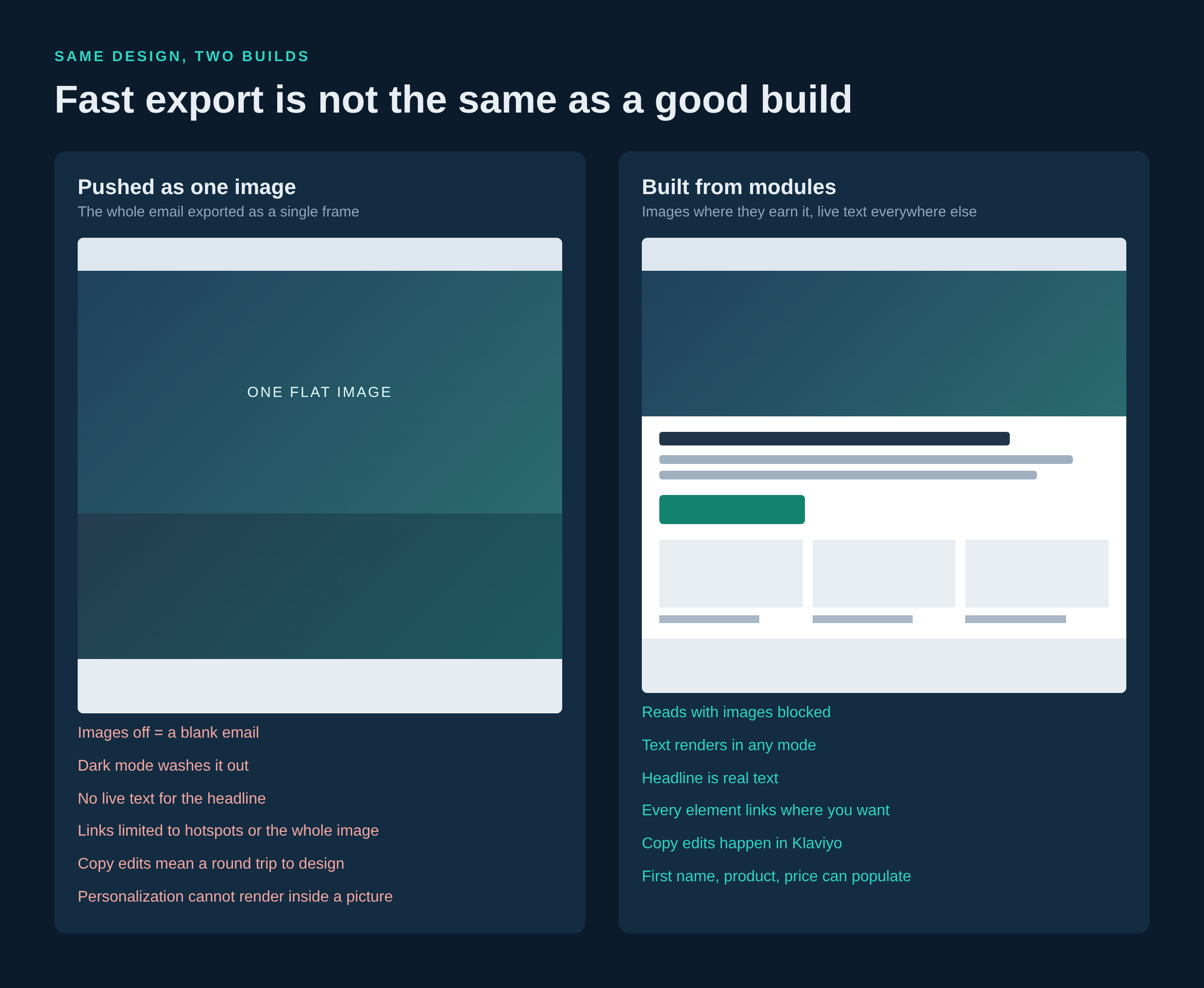
The build that works is boring: images where images earn it, live text everywhere else. Headline, body, buttons, footer stay as real text in Klaviyo. That's also the build a module system produces naturally, which is a decent argument for having one.
The question worth asking your team
Every time a tool launches, there's a reflex to ask how fast we can adopt it. The better question is whether the thing it speeds up was ever the bottleneck.
For most brands we look at, the email bottleneck isn't file transfer. It's that nobody decided what an email is supposed to look like, so every send re-litigates it. That shows up as slow approvals, off-brand sends, a designer who's the only person who can touch anything, and campaigns that all technically look fine but never accumulate into a recognizable brand in the inbox.
A plug-in doesn't fix any of that. A system does, and then the plug-in makes the system cheap to use. That's the order.
If you want to use it well
- Spend a week turning your last 20 sends into a component library. Keep what repeats, kill what doesn't.
- Write down the type scale, the spacing scale, and the definition of a section. One page. Put it in the Figma file.
- Set the export standard: retina width, format, color profile, naming convention with a prefix per campaign.
- Decide which elements are always live text in Klaviyo and which can be images. Hold that line.
- Then install the plug-in and let it do the boring part.
Do it in that order and the launch is genuinely useful. Do it in the other order and you've just made it easier to ship the same inconsistent emails, faster.
Related reading: Composer will draft your whole flow, but the splits are still your job.


