Most ecommerce brands spend hours on email copy, subject lines, design templates. But they've never looked at what their emails actually look like when they land in someone's inbox. Not the email itself - the inbox view. The preview. The first thing someone sees before they decide whether to open or scroll past.
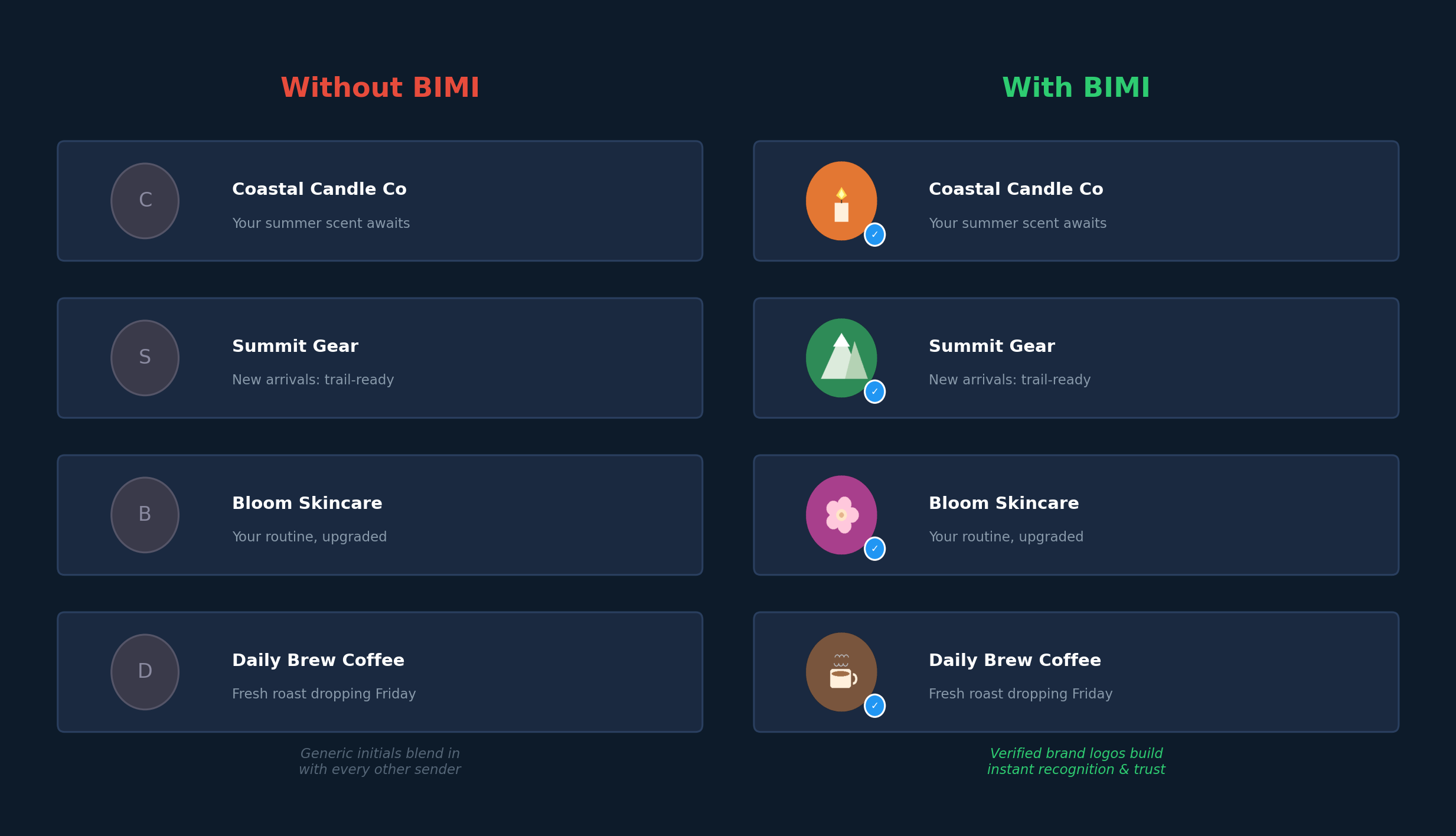
Next to some of your competitors' emails, there's a logo. Their actual brand logo - the same one on their website, their packaging, their Instagram. Next to yours? A gray circle with the first letter of your brand name. Maybe a generic avatar.
That's not a design choice you made. It's a deliverability signal you're missing.
What BIMI Actually Is
BIMI stands for Brand Indicators for Message Identification. It's a standard that lets you display your verified brand logo next to your emails in Gmail, Yahoo Mail, and Apple Mail. Not just any image you upload somewhere - a verified logo tied to your domain's email authentication setup.
When someone opens their inbox and sees 30 unread emails, yours either has a recognizable brand mark next to it or it doesn't. That distinction matters more than most people realize.
It's not just about looking professional, though it is that too. BIMI is built on top of email authentication protocols - specifically DMARC enforcement. To qualify, your domain needs:
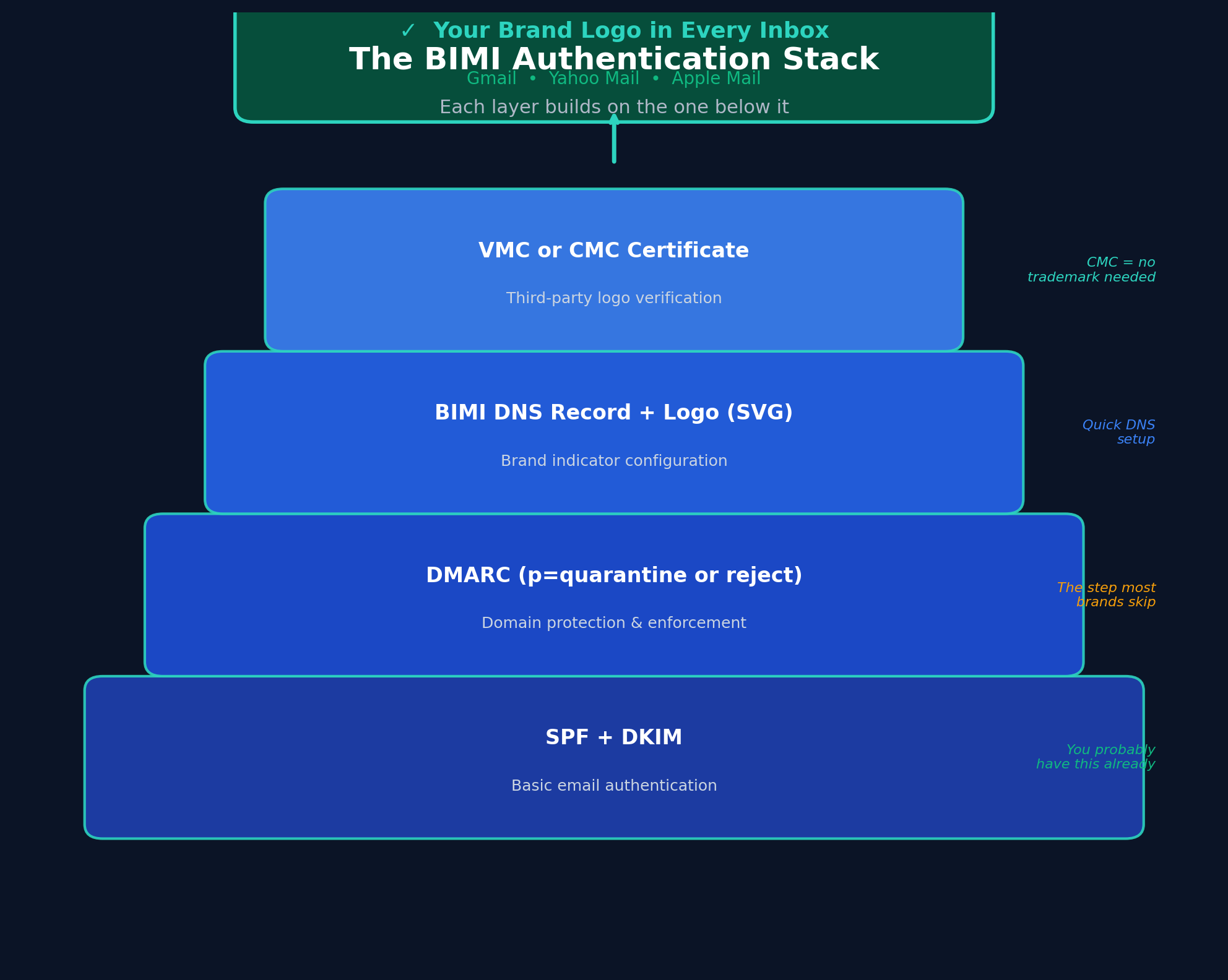
- SPF or DKIM authentication (you probably have this already)
- DMARC at enforcement level - p=quarantine or p=reject, not just p=none
- A BIMI DNS record pointing to your logo in SVG Tiny PS format
- A certificate: either a VMC (Verified Mark Certificate) or CMC (Common Mark Certificate)
The DMARC enforcement piece is where it gets interesting from a deliverability standpoint. Setting DMARC to enforcement means you're telling email providers: "If an email claims to be from our domain but doesn't pass authentication, block it." That's a strong trust signal. And inbox providers reward it.
VMC vs. CMC - This Is Where It Gets Accessible
For years, BIMI was basically a Fortune 500 feature. You needed a VMC - a Verified Mark Certificate - which required a registered trademark. Most DTC brands don't have trademark registrations for their logos, and the cost to get one plus the VMC itself made it a non-starter.
That changed when Google introduced Common Mark Certificates. CMCs don't require a trademark. Instead, they verify that your logo has been publicly displayed on your domain for at least 12 months. If your logo is on your website (and it obviously is), you likely qualify.
This opened BIMI up to basically every ecommerce brand. And most haven't done anything about it.
Why This Is More Than a Branding Play
There's a practical deliverability angle here that most people miss.
First - DMARC enforcement itself improves deliverability. When your domain publishes a DMARC policy at quarantine or reject, you're proving to inbox providers that you take authentication seriously. You're blocking spoofing and phishing attempts on your domain. That earns trust with Gmail and Yahoo.
Second - the visual presence of your logo in the inbox affects engagement. People are more likely to open emails from senders they recognize. A logo next to your email isn't just branding - it's a pattern recognition shortcut. When someone is scanning 30 unread messages, they process images faster than text. Your logo is faster to recognize than your sender name.
Third - and this is the one that matters going forward - AI is increasingly filtering inboxes. Gmail's Priority Inbox, Apple Mail's sorting features, and upcoming AI-powered email clients are all making decisions about which emails to surface prominently and which to bury. Visual trust signals like BIMI-verified logos are part of the signal set these systems use. An email without a verified logo will start looking inherently suspicious compared to one with it.
What Most Brands and Agencies Are Missing
This isn't some obscure deliverability tactic buried in a developer docs page. BIMI has been supported by Gmail since 2021. Yahoo was even earlier. Apple Mail joined in with iOS 16.
And yet we talk to brands every week - brands spending real money on email marketing - that have never heard of it. Their agencies haven't mentioned it. Their ESP reps haven't flagged it.
This is the kind of detail that separates an email program that's just running from one that's actually optimized. It's not about sending more emails or building more flows. Sometimes the biggest wins are in the infrastructure layer - the stuff that affects every single email you send, not just one campaign.
We set this up for our clients proactively. It's not a line item they ask about. It's something we bring to them because it makes everything else we do work better. Better authentication, better inbox placement, better open rates, better trust signals for AI filtering.
That's the kind of thing that compounds. Every email you send gets a small advantage. Multiply that across hundreds of sends per year and hundreds of thousands of recipients, and it adds up fast.
How to Set It Up
The steps are straightforward, but each one has to be done correctly:
1. Audit your current email authentication. Make sure SPF and DKIM are properly configured for every sending domain and service. If you're using Klaviyo, Shopify, and maybe a helpdesk tool - each one needs to be authenticated.
2. Move to DMARC enforcement. If you're at p=none (or don't have a DMARC record at all), you need to graduate to p=quarantine and eventually p=reject. Don't jump straight to reject without monitoring your DMARC reports first. You need to make sure all your legitimate email sources are properly authenticated before you start telling inbox providers to block unauthenticated mail.
3. Create your BIMI-compliant logo. This needs to be in SVG Tiny PS format - a specific SVG profile. It should be square, simple, and recognizable at small sizes. Your full logo with tagline text probably won't work. Think app icon style.
4. Get a certificate. If you have a registered trademark, go with a VMC from DigiCert or Entrust - it works across Gmail, Yahoo, and Apple Mail. If not, a CMC from Google will work for Gmail specifically. Note that CMC support is currently Gmail-focused, but that's where most of your subscribers are opening emails anyway.
5. Publish your BIMI DNS record. This is a TXT record at default._bimi.yourdomain.com that points to your SVG logo and certificate.
6. Monitor and verify. Use tools like BIMI Group's generator or your DMARC monitoring platform to confirm everything is working.
The whole process can take a few weeks from start to finish, mostly because of the DMARC enforcement ramp-up period. But once it's done, it's done. Every email benefits automatically.
The Simple Version
Your emails are competing for attention in an increasingly crowded, increasingly AI-filtered inbox. Having your verified brand logo showing up next to every email you send is one of the simplest, most overlooked advantages available right now.
Most brands don't know about it. Most agencies aren't doing it. That's exactly why it matters.


